
The visit

Two people, one recording, your bucket.

The host is the provider. The guest is the patient. They see and hear each other. A viewer, for QA or supervision, can watch and listen, and is never seen, heard, or recorded.

Your care, connected Example visit
Illustrative provider smiling toward the camera in a sunlit office Recording Your provider Connected
JDYou
In your visit 12:34
From the first hello to the follow-up. A look at the visit experience.

A connection that feels human

Every moment,
considered.

Give patients a calm place to check their devices, meet their provider, and know when a visit has ended.

Explore the example’s three stages, then use our drop-in UI or build the experience that fits your product.

Find your SDK
See the drop-in SDK reference screens

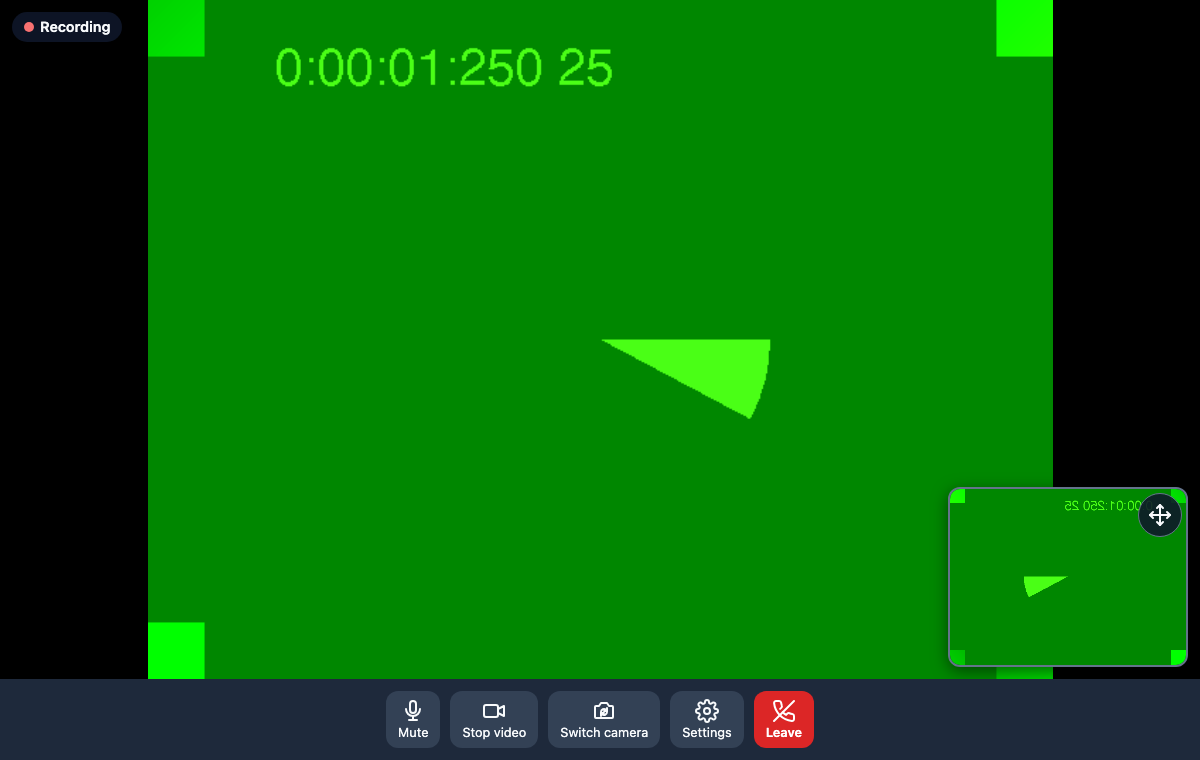
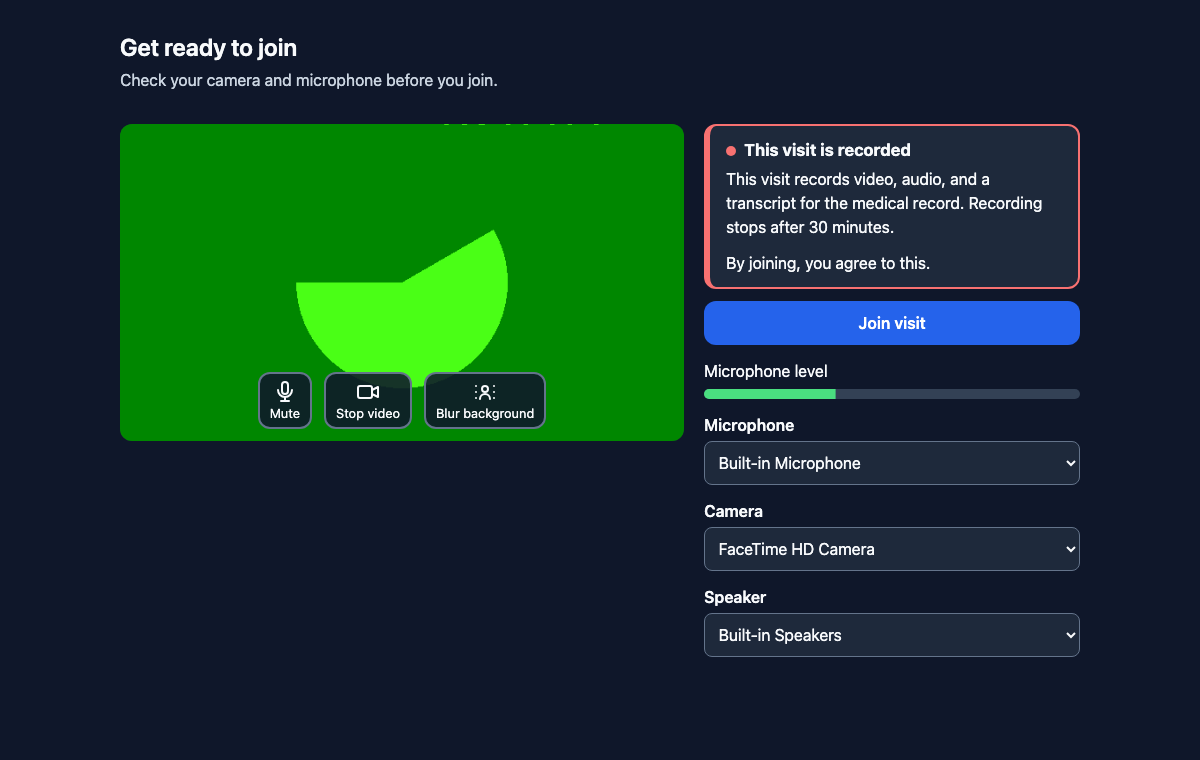
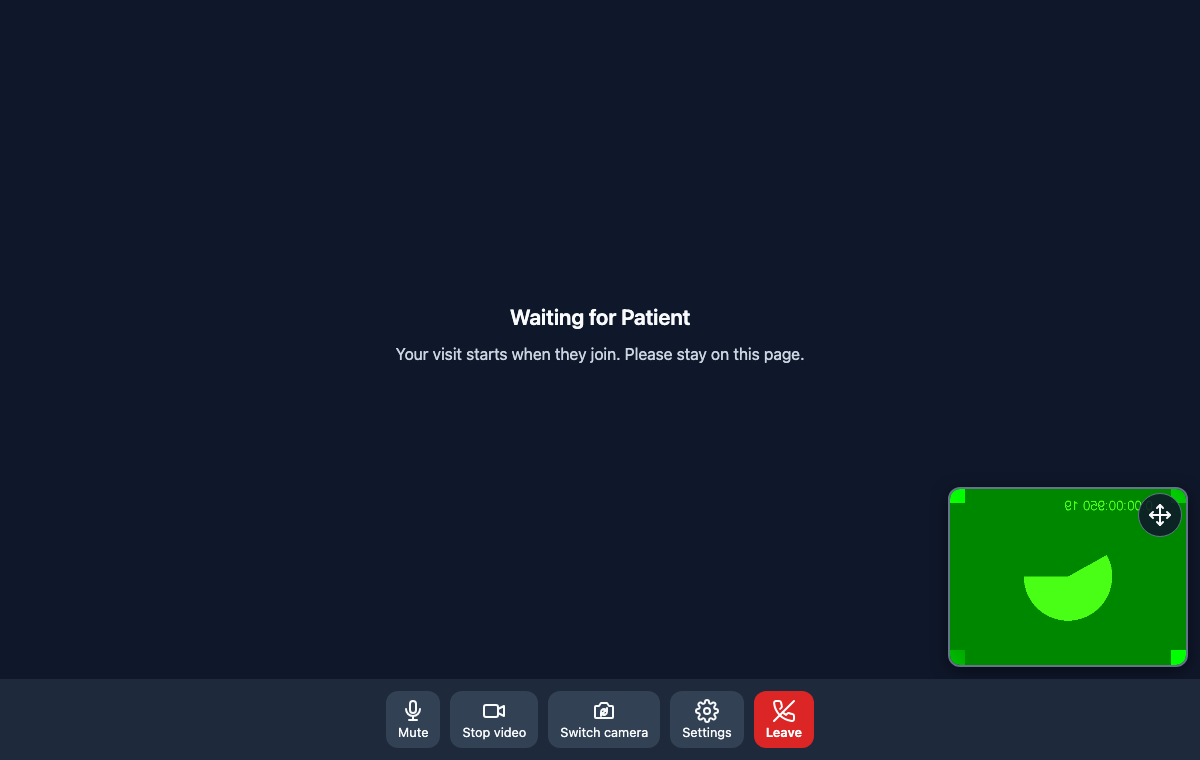
Actual SDK screens captured with test video feeds: in the call, before joining, and while waiting.

Video visit with the patient. Local and remote video, mute, camera, settings, leave, and a Recording badge.
In the visit. The patient is on the main tile. The provider is in the corner.
Get ready to join. Camera preview, microphone, camera, and speaker pickers, and the recording notice beside Join visit.
Before joining. The recording notice sits next to Join.
Waiting for the patient, with the provider's camera on and no recording badge yet.
Waiting, until the other party arrives.

What the drop-in UI does

  1. Pre-join Devices are checked, and the recording notice sits next to Join.
  2. Waiting The host stays in the visit until the patient arrives. Recording stays off until both are connected.
  3. The call Mute, camera, and a recording indicator. A viewer can watch and is never seen or heard.
  4. Ended The screen names why the visit closed. Leave, or the host ends it for everyone.

Joining is the consent event. The SDK emits the notice text and the time, and your backend stores it. Your counsel decides whether notice-plus-join is enough in the states you serve.

What moves, and what does not
  1. Your app Asks your backend for join info. The token never lives in the app.
  2. Your backend Mints a short-lived token and calls visitsdk on the internal load balancer.
  3. Amazon Chime Carries audio and video between the devices. The server is not on that path.
  4. Your bucket The recording and transcript land in your S3 bucket, under your KMS key. A signed webhook tells your backend the keys.

Recording

Each join token names the mode: video, audio, and transcript; audio and transcript; or transcript only. An optional duration cap stops the recording when the slot is over. The host can stop it sooner, or end the visit.

The webhook

When a recording is ready, VisitSDK posts a signed payload to your backend: the visit reference, the status, and the S3 keys. Your backend verifies the signature and dedupes retries.

The host is told when a viewer is present. The patient is not, unless you turn that indicator on for everyone or add your own notice.

Built for your next connection

Make room for
better care.

Tell us what you’re building. We’ll help you find the right path to your first visit.

Let’s talk about your product